Your camera roll has 47 screenshots of recipes. You couldn't tell me what's in any of them. The TikTok with the spicy honey chicken — saved, but the algorithm has moved on. The Instagram Reel for that pasta you swore you'd make — heart-bookmarked into a tab you'll never reopen. The recipe carousel from someone you don't even follow anymore — gone the moment they go private or delete the post.
This is the social media recipe problem. The good ones are everywhere, you save them all, and you still cook the same three things on rotation because you can't find any of them when it actually matters.
Why screenshots and bookmarks both fail
Screenshots feel like a save. One tap and the recipe is "yours." But what you've actually saved is a flat image:
- You can't search it. Try finding "the chicken thing" in a camera roll of 3,000 photos.
- There's no ingredients list to scan or add to a shopping list.
- Half the measurements were in the caption you never screenshotted.
- Six months later, the account is private, the video's been deleted, or TikTok has buried it.
Bookmarks fix the search problem but inherit most of the others. They live in a list you don't open. They break when content gets removed. And you still have to scrub through the whole video every time you want to remember what went into the sauce.
What Forkfolio does instead
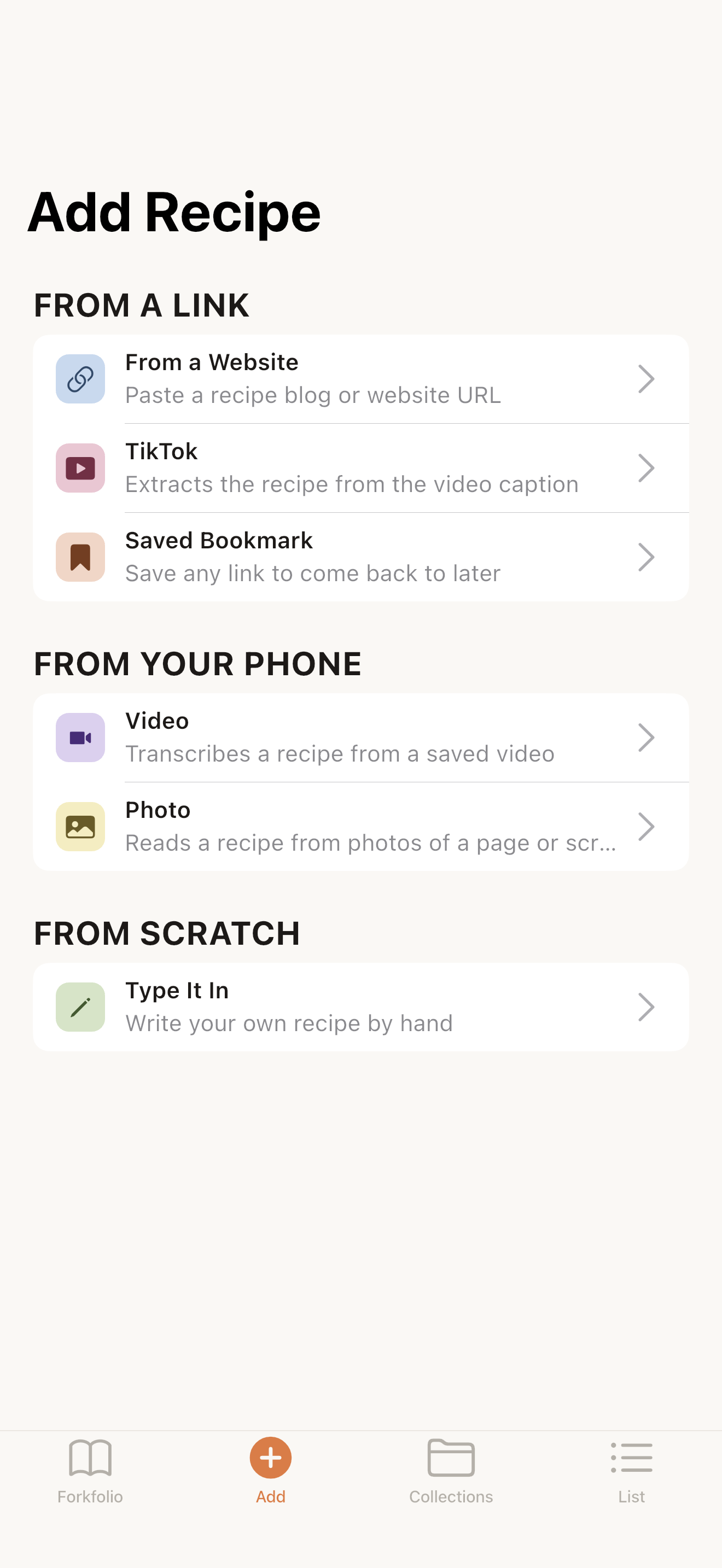
The fix is to stop saving the post and start saving the recipe. Copy the TikTok or Instagram link, open Forkfolio, paste. The app reads the full caption, runs it through AI to pull out ingredients and steps, and gives you a structured recipe with the original video link still attached. The whole thing takes about ten seconds.
TikTok links
TikTok captions are written in a stream-of-consciousness "here's what I did" style, with measurements like "a big glug of olive oil" and "just enough garlic." Forkfolio's extractor is built for that. It understands informal measurements, separates the recipe parts from the creator's personal commentary, and keeps notes like "taste as you go" as instructions rather than ingredients.
A few specifics worth knowing:
- It reads the full caption, not just the truncated preview shown in the post.
- It identifies the creator's username and saves it with the recipe so you can credit them later.
- It preserves the original video thumbnail as the recipe image.
- It skips the hashtag spam at the end without losing relevant tags.
Instagram links
Instagram recipes show up in three formats: regular posts, Reels, and multi-slide carousels. Forkfolio handles all three. For posts and Reels, it pulls from the caption. For carousels, it can also pull text overlays from the images themselves using on-device OCR.
One Instagram-specific catch: the creator's account might be private. Nothing legitimate can bypass that. If a link won't open publicly, Forkfolio falls back to letting you paste the recipe text manually, which still goes through the same structuring.
What you actually end up with
Before: a screenshot. Eight taps to find it again. No way to search it. No way to share it as anything other than "here, scroll through these images."
After: a recipe with a title, an ingredients list, step-by-step instructions, the original video link, and the creator's handle. Searchable. Taggable. Add-to-shopping-list-able.
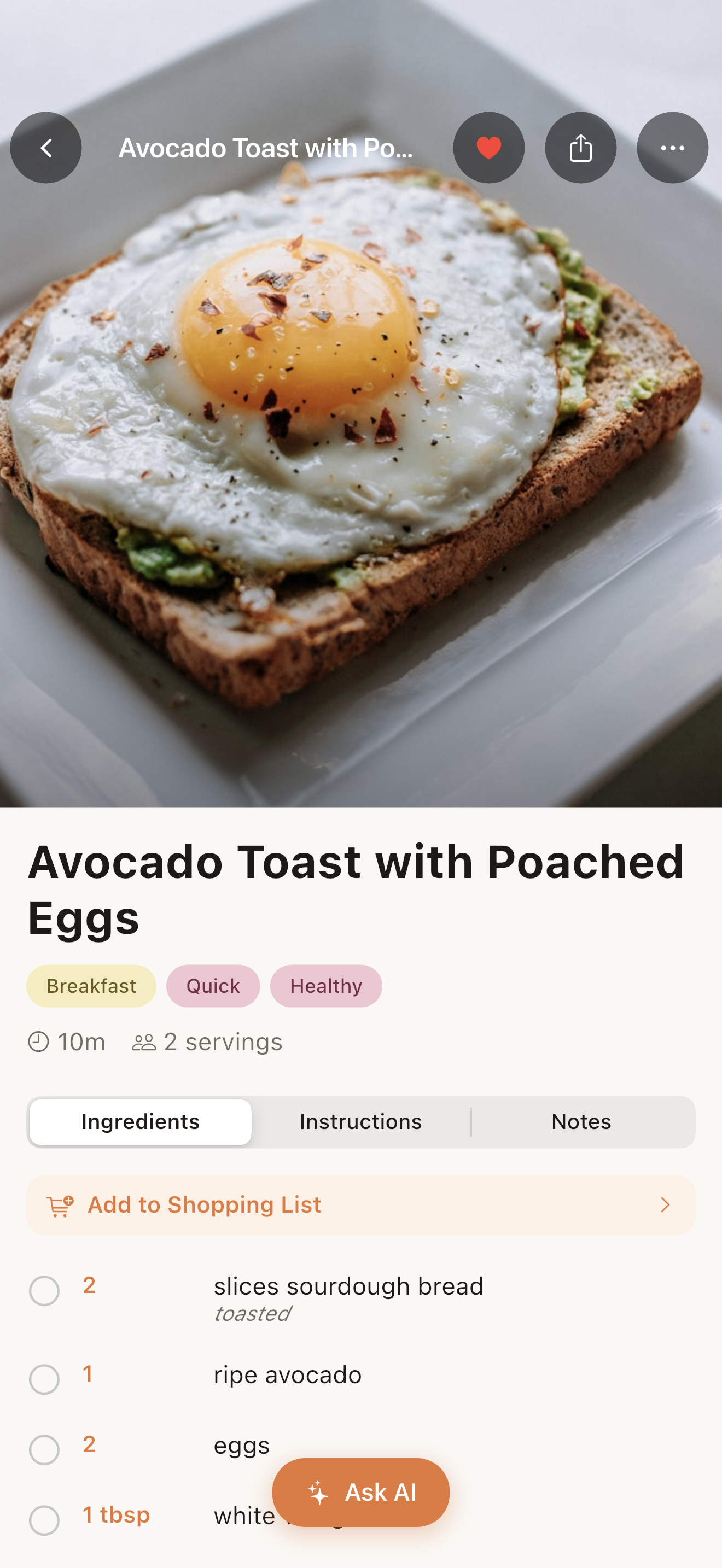
That last part is the real unlock. Once a recipe is in Forkfolio, it stops being a static thing you saved. Tap a button to add the ingredients to your shopping list — they're auto-sorted by grocery aisle and merged across recipes, so a week of meal planning produces one clean list. Add a tag like "weeknight" or "spicy" and you can pull it up months later without remembering whose TikTok it was.
The habit to build
Every time you save a recipe from social media, open Forkfolio and paste the link before you keep scrolling. Ten seconds. Otherwise the saved post joins the 47 others you'll never see again.
Once your social-media recipes are actually in one place, the next thing is making the library easy to navigate. I wrote about that here: How to Organize Your Recipe Collection Like a Pro →
Screenshots are a write-only system. The recipes you save into a real library are the ones you'll actually cook.